Blog Posts

Latest News Articles

Stay up to date with the latest improvements and new features

Monetization

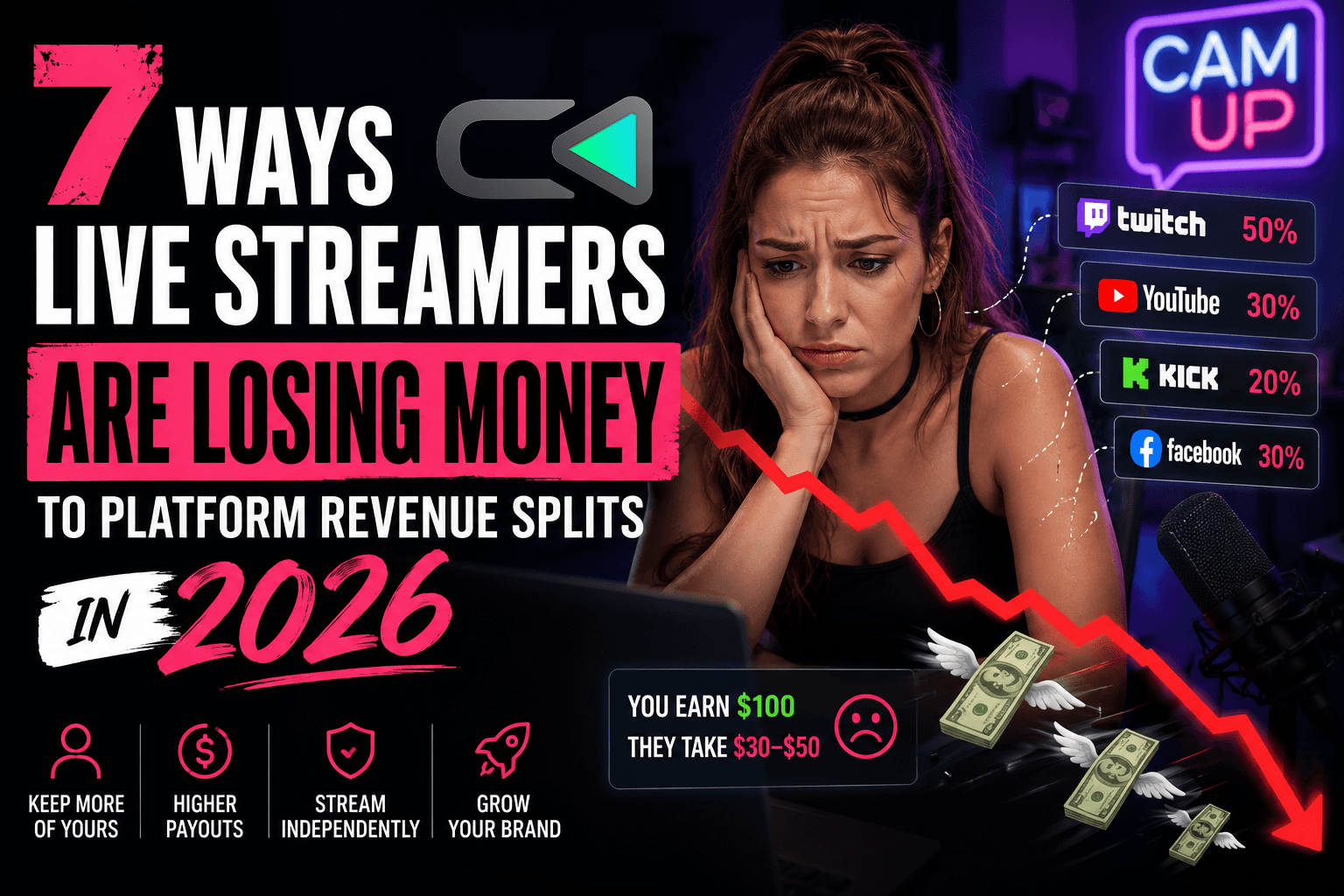
7 Ways Live Streamers Are Losing Money to Platform Revenue Splits in 2026

You put in hours building your show, growing your chat, keeping your audience coming back. Then the payout hits and you do the math. The number is smaller than it should be, again.


The Cut You Never Agreed To

Platform revenue splits are the most normalized way money leaves your pocket in this industry. Everyone knows they exist. Most creators just absorb them as the cost of doing business. But in 2026, with more streamers broadcasting across multiple platforms at once, those cuts don't just add up — they compound.

Here are seven specific ways platform revenue splits are draining your income right now.


1. The Base Revenue Split Is Just the Starting Point

Every major platform takes a cut of what your fans spend on you. Twitch's standard split for non-Partner streamers is 50/50 on subscriptions. YouTube takes 30% of Super Chat and channel membership revenue. TikTok's gift-to-diamond conversion means creators often net well under half of what fans actually spend.

These base splits feel like the deal. They're not. They're the floor — everything else stacks on top.

The real problem isn't just the percentage. It's that you have no negotiating power and no real visibility into what your fans are actually spending in full.

2. Gifting Fees Stack on Top of the Split

On TikTok, fans buy coins with real money, convert those coins to gifts, and you receive diamonds that you then cash out. By the time that money reaches you, the effective take rate is often 50% or more — not the headline number the platform advertises.

Instagram's Badges and Twitch's Bits work the same way. Fans spend more than you receive. That gap is the platform's margin, baked into every transaction your fans make to support you.

When a fan drops $10 on a gift, you might see $4. That's not a processing fee. That's a structural tax on your relationship with your audience.

3. Payout Delays Cost You Real Money

Most platforms pay on a 30 to 60-day delay, and some won't release anything until you hit a minimum threshold. Revenue from a big stream in early May might not land in your account until July.

For creators managing income month to month, that's a real cash flow problem. You can't reinvest in your setup, pay collaborators, or cover production costs on money that's sitting in a platform's account for two months.

There's another cost too: delayed payouts make it harder to understand what's actually working. If you can't connect a specific stream to a specific payout, you're guessing at what formats and moments actually convert.

4. You're Building an Audience You Don't Own

This one doesn't show up as a line item, but it costs more than any percentage split.

Every follower, subscriber, and fan you build on a platform belongs to that platform. You can't export your Twitch subscriber list. You can't contact your TikTok followers directly. If a platform shifts its algorithm, suspends your account, or kills a monetization feature, your relationship with those fans is entirely at the platform's discretion.

You did the work to earn that trust. The platform owns the contact information. That's a bad deal — and most creators don't realize how bad until something breaks.

5. Multi-Platform Streaming Means Multiple Splits

Streaming on two or three platforms simultaneously — which more creators do every year — doesn't double or triple your revenue. You're splitting your attention and still paying each platform's cut on whatever you earn there.

On top of that, your fans are fragmented. The ones on Twitch don't see the gifting happening on TikTok. The ones on YouTube aren't in your Kick chat. You're running the same show across four platforms and getting taxed four times, but each audience is stuck in its own silo.

Multi-platform reach is real. But without a unified monetization layer on top, you're doing more work and still playing by each platform's math.

6. Algorithm Changes Can Wipe Out Your Revenue Overnight

Platform revenue isn't just split — it's conditional. Your income depends on the algorithm surfacing your streams, the platform keeping its monetization features intact, and the payout structure staying the same.

All three have shifted on streamers in recent years. TikTok has adjusted gift payout rates. Twitch changed its subscription split and faced massive creator backlash. YouTube has modified how Super Chats surface in feeds.

When your entire revenue model runs through one platform, a single policy update can cut your income without warning. Most businesses wouldn't accept that kind of exposure. Streamers accept it by default.

7. Your Best Revenue Moments Go Unmonetized

The highest-energy moments in a live stream — a big reaction, a challenge, a guest drop, a community milestone — are exactly when your audience is most ready to spend. Most platforms give you one or two tools to capture that energy: gifting and subscriptions.

That's it. No merch drop timed to the moment. No paid video chat where a fan can jump on camera with you. No interactive format that turns the moment into a transaction.

You're not leaving money on the table because your audience doesn't want to spend. You're leaving it there because platform monetization tools are built for the platform's business model, not yours.

What Doing Something About It Looks Like

The answer isn't to leave your platforms. Your audience is there — that's not changing. The answer is to add a monetization layer that sits on top of your existing streams and works across all of them at once.

That's exactly what CamUp is built for. Video chat, gifting, merch drops, and interactive features — all layered directly into your live show without changing how you stream. One Creator Link works across YouTube, TikTok, Twitch, Instagram, and Kick. Fans stay on their preferred platform. You get paid directly, no platform cut, and you keep your audience data.

It's the difference between building on rented land and building something you actually own.

If you're streaming seriously in 2026, the platform split math doesn't get better by waiting. Apply for the creator beta at

Camup.live.

FAQs

What is a platform revenue split for streamers?
It's the percentage of fan spending a platform keeps before paying you. Twitch takes 50% of subscription revenue for most streamers. TikTok's coin-to-diamond conversion means creators often receive less than half of what fans spend on gifts. The headline number rarely tells the full story.

How much do platforms take from live stream gifting?
Effective take rates are often 50% or higher once you factor in coin purchase rates, conversion fees, and payout structures. What platforms advertise and what creators actually net are usually two different numbers.

Can I avoid platform revenue splits without leaving my platforms?
Yes. Tools that sit on top of your existing streams let you add direct monetization without moving your audience anywhere. CamUp adds gifting, video chat, and merch drops to your live show and pays you directly — no platform cut involved.

Why do payout delays matter for streamers?
Most platforms pay 30 to 60 days after revenue is earned, sometimes with minimum thresholds on top of that. That creates real cash flow gaps and makes it harder to know which streams and formats are actually driving income.

What does audience data ownership mean for live streamers?
When you build followers on a platform, the platform controls that relationship. You can't export contact info or reach fans directly if the rules change. Owning your audience data means you have a direct line to your fans that no algorithm update or policy shift can take away.

How does multi-platform streaming affect revenue splits?
Each platform applies its own split to whatever you earn there. Without a unified monetization layer, streaming on multiple platforms means more work but the same fragmented, per-platform cut math on every dollar.

What's the biggest missed revenue opportunity in live streaming?
High-energy live moments — reactions, challenges, milestones — are when audiences are most willing to spend, but most platforms only offer basic gifting and subscriptions to capture it. Timed merch drops, paid fan video chat, and interactive formats can turn those moments into real revenue. Platform-native tools just aren't built for that.

7 Ways Live Streamers Are Losing Money to Platform Revenue Splits in 2026

Monetization

7 Ways Live Streamers Are Losing Money to Platform Revenue Splits in 2026

You put in hours building your show, growing your chat, keeping your audience coming back. Then the payout hits and you do the math. The number is smaller than it should be, again.


The Cut You Never Agreed To

Platform revenue splits are the most normalized way money leaves your pocket in this industry. Everyone knows they exist. Most creators just absorb them as the cost of doing business. But in 2026, with more streamers broadcasting across multiple platforms at once, those cuts don't just add up — they compound.

Here are seven specific ways platform revenue splits are draining your income right now.


1. The Base Revenue Split Is Just the Starting Point

Every major platform takes a cut of what your fans spend on you. Twitch's standard split for non-Partner streamers is 50/50 on subscriptions. YouTube takes 30% of Super Chat and channel membership revenue. TikTok's gift-to-diamond conversion means creators often net well under half of what fans actually spend.

These base splits feel like the deal. They're not. They're the floor — everything else stacks on top.

The real problem isn't just the percentage. It's that you have no negotiating power and no real visibility into what your fans are actually spending in full.

2. Gifting Fees Stack on Top of the Split

On TikTok, fans buy coins with real money, convert those coins to gifts, and you receive diamonds that you then cash out. By the time that money reaches you, the effective take rate is often 50% or more — not the headline number the platform advertises.

Instagram's Badges and Twitch's Bits work the same way. Fans spend more than you receive. That gap is the platform's margin, baked into every transaction your fans make to support you.

When a fan drops $10 on a gift, you might see $4. That's not a processing fee. That's a structural tax on your relationship with your audience.

3. Payout Delays Cost You Real Money

Most platforms pay on a 30 to 60-day delay, and some won't release anything until you hit a minimum threshold. Revenue from a big stream in early May might not land in your account until July.

For creators managing income month to month, that's a real cash flow problem. You can't reinvest in your setup, pay collaborators, or cover production costs on money that's sitting in a platform's account for two months.

There's another cost too: delayed payouts make it harder to understand what's actually working. If you can't connect a specific stream to a specific payout, you're guessing at what formats and moments actually convert.

4. You're Building an Audience You Don't Own

This one doesn't show up as a line item, but it costs more than any percentage split.

Every follower, subscriber, and fan you build on a platform belongs to that platform. You can't export your Twitch subscriber list. You can't contact your TikTok followers directly. If a platform shifts its algorithm, suspends your account, or kills a monetization feature, your relationship with those fans is entirely at the platform's discretion.

You did the work to earn that trust. The platform owns the contact information. That's a bad deal — and most creators don't realize how bad until something breaks.

5. Multi-Platform Streaming Means Multiple Splits

Streaming on two or three platforms simultaneously — which more creators do every year — doesn't double or triple your revenue. You're splitting your attention and still paying each platform's cut on whatever you earn there.

On top of that, your fans are fragmented. The ones on Twitch don't see the gifting happening on TikTok. The ones on YouTube aren't in your Kick chat. You're running the same show across four platforms and getting taxed four times, but each audience is stuck in its own silo.

Multi-platform reach is real. But without a unified monetization layer on top, you're doing more work and still playing by each platform's math.

6. Algorithm Changes Can Wipe Out Your Revenue Overnight

Platform revenue isn't just split — it's conditional. Your income depends on the algorithm surfacing your streams, the platform keeping its monetization features intact, and the payout structure staying the same.

All three have shifted on streamers in recent years. TikTok has adjusted gift payout rates. Twitch changed its subscription split and faced massive creator backlash. YouTube has modified how Super Chats surface in feeds.

When your entire revenue model runs through one platform, a single policy update can cut your income without warning. Most businesses wouldn't accept that kind of exposure. Streamers accept it by default.

7. Your Best Revenue Moments Go Unmonetized

The highest-energy moments in a live stream — a big reaction, a challenge, a guest drop, a community milestone — are exactly when your audience is most ready to spend. Most platforms give you one or two tools to capture that energy: gifting and subscriptions.

That's it. No merch drop timed to the moment. No paid video chat where a fan can jump on camera with you. No interactive format that turns the moment into a transaction.

You're not leaving money on the table because your audience doesn't want to spend. You're leaving it there because platform monetization tools are built for the platform's business model, not yours.

What Doing Something About It Looks Like

The answer isn't to leave your platforms. Your audience is there — that's not changing. The answer is to add a monetization layer that sits on top of your existing streams and works across all of them at once.

That's exactly what CamUp is built for. Video chat, gifting, merch drops, and interactive features — all layered directly into your live show without changing how you stream. One Creator Link works across YouTube, TikTok, Twitch, Instagram, and Kick. Fans stay on their preferred platform. You get paid directly, no platform cut, and you keep your audience data.

It's the difference between building on rented land and building something you actually own.

If you're streaming seriously in 2026, the platform split math doesn't get better by waiting. Apply for the creator beta at

Camup.live.

FAQs

What is a platform revenue split for streamers?
It's the percentage of fan spending a platform keeps before paying you. Twitch takes 50% of subscription revenue for most streamers. TikTok's coin-to-diamond conversion means creators often receive less than half of what fans spend on gifts. The headline number rarely tells the full story.

How much do platforms take from live stream gifting?
Effective take rates are often 50% or higher once you factor in coin purchase rates, conversion fees, and payout structures. What platforms advertise and what creators actually net are usually two different numbers.

Can I avoid platform revenue splits without leaving my platforms?
Yes. Tools that sit on top of your existing streams let you add direct monetization without moving your audience anywhere. CamUp adds gifting, video chat, and merch drops to your live show and pays you directly — no platform cut involved.

Why do payout delays matter for streamers?
Most platforms pay 30 to 60 days after revenue is earned, sometimes with minimum thresholds on top of that. That creates real cash flow gaps and makes it harder to know which streams and formats are actually driving income.

What does audience data ownership mean for live streamers?
When you build followers on a platform, the platform controls that relationship. You can't export contact info or reach fans directly if the rules change. Owning your audience data means you have a direct line to your fans that no algorithm update or policy shift can take away.

How does multi-platform streaming affect revenue splits?
Each platform applies its own split to whatever you earn there. Without a unified monetization layer, streaming on multiple platforms means more work but the same fragmented, per-platform cut math on every dollar.

What's the biggest missed revenue opportunity in live streaming?
High-energy live moments — reactions, challenges, milestones — are when audiences are most willing to spend, but most platforms only offer basic gifting and subscriptions to capture it. Timed merch drops, paid fan video chat, and interactive formats can turn those moments into real revenue. Platform-native tools just aren't built for that.

7 Ways Live Streamers Are Losing Money to Platform Revenue Splits in 2026

Interactivity

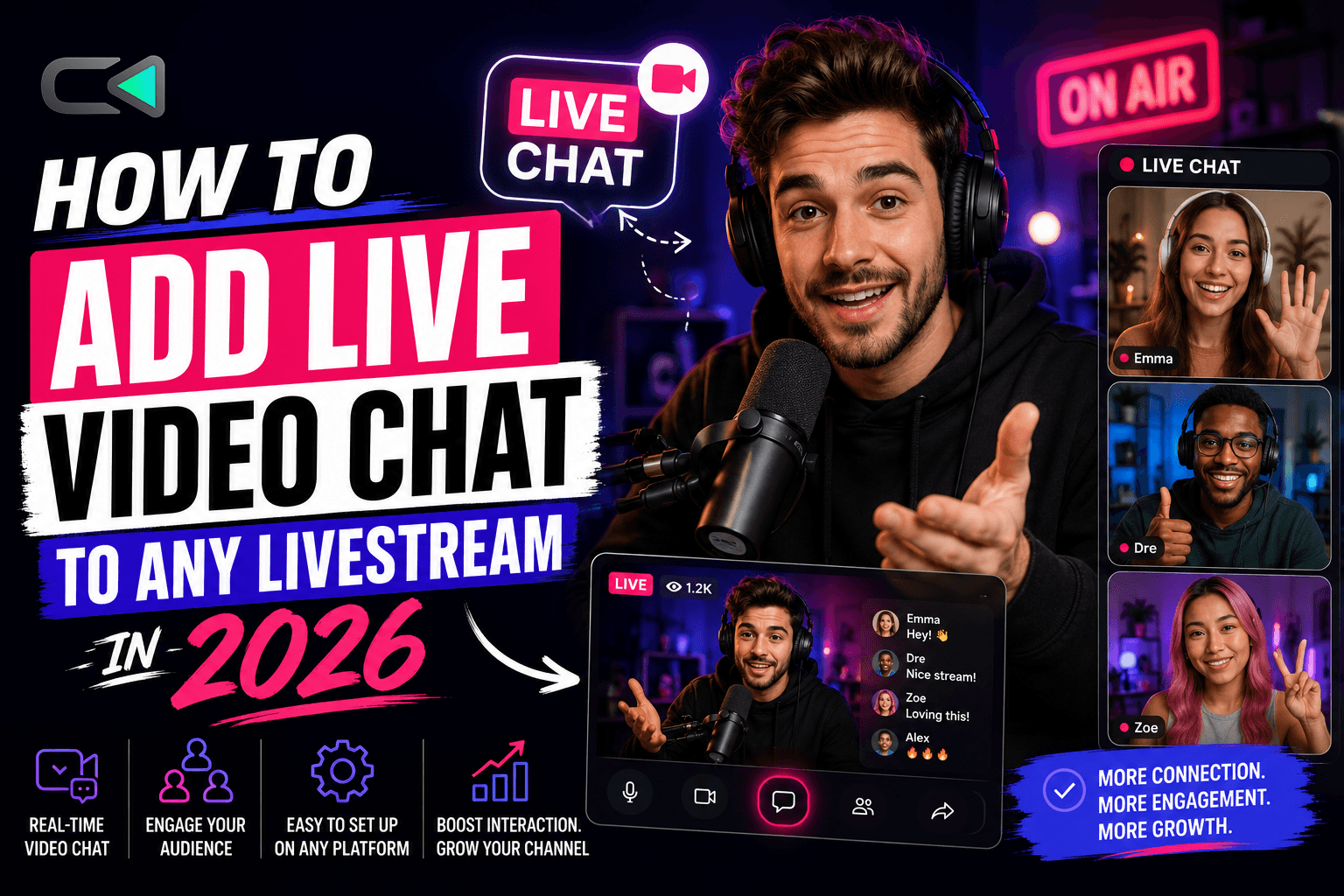
How to Add Live Video Chat to Any Livestream in 2026

Pulling a fan onto your stream on camera is one of the highest-engagement moments you can create. Chat goes wild. Energy spikes. That viewer stops being a number in your count and becomes part of the show.

Actually setting it up, though? That's where most creators hit a wall. The options are either locked to one platform, require a separate app, or cut you out of any real revenue in the process.

This guide covers every real option for adding live video chat to your stream in 2026 — what each one costs you in time and money, and which setup actually holds up when you're streaming across multiple platforms at once.

Why Live Video Chat Changes Your Stream

Text chat is passive. Video chat is a moment.

When a fan joins on camera, they're invested — they've taken an action. The rest of your audience watches that interaction and wants in. It creates a loop: participation drives more participation, and more participation drives revenue.

For gaming streams, it's a challenge or collab format. For music reaction shows, it's a fan dropping a track and reacting live alongside you. For talk-format creators, it's a guest segment that feels spontaneous instead of scripted.

The format matters less than the dynamic. Video chat turns your show into a two-way experience, and two-way experiences convert better than one-way broadcasts.

The Problem With Platform-Native Video Chat

Every major platform has some version of it. TikTok has Guest Live. Instagram has Live Rooms. YouTube has nothing. Twitch has nothing. Kick has nothing.

So right away, if you stream to more than one platform, your options narrow fast.

And even where it does exist, platform-native video chat comes with real trade-offs:

  • You don't own the data. The platform owns the interaction, the fan's contact info, and the relationship.

  • You can't monetize the moment directly. There's no built-in way to charge for a cam-up slot, trigger a gift, or drop merch mid-interaction.

  • You're locked to that platform's audience. A fan watching on YouTube can't join a TikTok Guest Live.

Platform-native video chat is a starting point. It's not a business.

Your Options for Adding Video Chat to a Livestream

Platform Built-Ins: TikTok Guest Live and Instagram Live Rooms

These are the easiest entry points — no extra setup, no third-party tools. If you stream exclusively on TikTok or Instagram and your audience lives there, they work fine.

TikTok Guest Live lets one viewer join on camera. Instagram Live Rooms allows up to three additional guests. Both are free and built into the app.

The ceiling is low, though. You can't monetize the cam-up moment, you lose the data, and if your audience is split across platforms, half your viewers can't participate at all.

Third-Party Tools: Zoom, StreamYard, and Discord Stage

Some creators pipe a Zoom or StreamYard call into OBS and route it to their stream. Technically, it works. You can bring guests on camera, manage the layout, and broadcast to any platform.

The problem is these tools were built for meetings, not live shows. The setup is clunky, latency is noticeable, and nothing connects the video chat moment to any kind of revenue action. You're doing extra work for the same result.

Discord Stage Channels have a similar issue — great for community interaction, not built for monetized live shows.

These tools solve the technical problem. They don't solve the business problem.

Live Monetization Layers: CamUp

This is the option built specifically for the live moment. CamUp sits on top of your existing stream — across YouTube, TikTok, Twitch, Instagram, and Kick simultaneously — and adds live video chat, gifting, and merch drops without touching your current setup.

The key difference: the cam-up moment is connected to revenue. Fans can pay to join on camera. Gifts fire in real time during the interaction. Merch can drop mid-show. And you keep the fan data from every single interaction.

One Creator Link works across all your platforms. Fans on any platform can request to join through that link. You approve, they're live, and the interaction happens inside your show — not in a separate app, not on a different tab.

No new streaming software. No platform switching. No asking your audience to go somewhere else.

How to Set Up Live Fan Video Chat Without Breaking Your Show

Whether you go with a platform tool or CamUp, the setup logic is the same:

1. Decide the format first.
Is this a challenge segment? A reaction collab? A Q&A slot? Knowing the format tells you how long the interaction runs, what triggers it, and how you introduce it. Figure this out before you go live.

2. Set your entry point.
How does a fan get on camera — a link in your bio, a chat command, a paid slot? Define this in advance. Ambiguity mid-stream kills the moment.

3. Test the audio and video handoff.
The most common failure in live video chat is audio bleed and latency. Run a test with someone before your first live show. Know exactly what your audience hears and sees when a guest joins.

4. Keep it short and intentional.
The best cam-up moments run two to five minutes. Long enough to feel real, short enough to keep energy high. Have a natural exit line ready before you start.

5. Promote it before the stream.
Tell your audience in advance that fans can join on camera. It builds anticipation and dramatically increases the chance someone actually requests it.

What to Look for Before You Commit to a Tool

Not every video chat tool is worth adding to your setup. Before you commit, check these five things:

  • Does it work across all your platforms? If you multistream, a single-platform solution is a partial solution.

  • Can you monetize the interaction? A cam-up moment that doesn't connect to revenue is a missed opportunity.

  • Do you keep the fan data? If the platform owns the relationship, you're building on rented land.

  • Does it change your existing workflow? The best tools add to what you're already doing, not replace it.

  • Is there a payout delay? Waiting 30 to 60 days to see money from a live show is a real problem when you're running shows regularly.

CamUp checks all five. Most other options check one or two.

FAQs

Can I add live video chat to YouTube streams?
YouTube has no native video chat feature for livestreams. To add fan video chat to a YouTube stream, you need a third-party tool. CamUp works across YouTube and lets fans join on camera through a single Creator Link, regardless of which platform they're watching from.

Do I need to change my streaming software?
Not with CamUp. It layers on top of your existing setup — OBS, Streamlabs, whatever you're already using. Your workflow stays the same.

Can fans on different platforms join the same video chat?
With platform-native tools like TikTok Guest Live, no. With CamUp, yes. The Creator Link works across all platforms, so a fan on Twitch and a fan on TikTok can both request to join on camera during the same show.

Is live video chat only useful for certain stream formats?
No. It works for gaming (challenges, collabs), music reaction shows (fan track submissions), talk formats (guest segments), and more. The format shapes how you use it — not whether you can.

How do I keep the cam-up moment from derailing my show?
Set clear expectations before you go live. Use a defined entry point, keep interactions to a set time window, and have a transition line ready to move back to your main content. CamUp's show mode templates are built around this — the interaction feels like part of the show, not a disruption.

Can I charge fans to join my stream on camera?
Yes, with the right tool. CamUp supports paid cam-up slots, so the interaction generates direct revenue, not just engagement.

What happens to fan data from video chat interactions?
With platform-native tools, the platform owns it. With CamUp, you own it. First-party fan data from every interaction stays with you.

Make It Count

Live video chat is one of the most powerful things you can add to a stream right now. Real moments, real engagement — and when you set it up right, real revenue.

The mistake most creators make is treating it like a feature instead of a format. Build it into your show intentionally, connect it to a monetization action, and make sure it works for your audience wherever they're watching.

Ready to add video chat that works across every platform you stream on? Learn more at Camup.live.

How to Add Live Video Chat to Any Livestream in 2026

Interactivity

How to Add Live Video Chat to Any Livestream in 2026

Pulling a fan onto your stream on camera is one of the highest-engagement moments you can create. Chat goes wild. Energy spikes. That viewer stops being a number in your count and becomes part of the show.

Actually setting it up, though? That's where most creators hit a wall. The options are either locked to one platform, require a separate app, or cut you out of any real revenue in the process.

This guide covers every real option for adding live video chat to your stream in 2026 — what each one costs you in time and money, and which setup actually holds up when you're streaming across multiple platforms at once.

Why Live Video Chat Changes Your Stream

Text chat is passive. Video chat is a moment.

When a fan joins on camera, they're invested — they've taken an action. The rest of your audience watches that interaction and wants in. It creates a loop: participation drives more participation, and more participation drives revenue.

For gaming streams, it's a challenge or collab format. For music reaction shows, it's a fan dropping a track and reacting live alongside you. For talk-format creators, it's a guest segment that feels spontaneous instead of scripted.

The format matters less than the dynamic. Video chat turns your show into a two-way experience, and two-way experiences convert better than one-way broadcasts.

The Problem With Platform-Native Video Chat

Every major platform has some version of it. TikTok has Guest Live. Instagram has Live Rooms. YouTube has nothing. Twitch has nothing. Kick has nothing.

So right away, if you stream to more than one platform, your options narrow fast.

And even where it does exist, platform-native video chat comes with real trade-offs:

  • You don't own the data. The platform owns the interaction, the fan's contact info, and the relationship.

  • You can't monetize the moment directly. There's no built-in way to charge for a cam-up slot, trigger a gift, or drop merch mid-interaction.

  • You're locked to that platform's audience. A fan watching on YouTube can't join a TikTok Guest Live.

Platform-native video chat is a starting point. It's not a business.

Your Options for Adding Video Chat to a Livestream

Platform Built-Ins: TikTok Guest Live and Instagram Live Rooms

These are the easiest entry points — no extra setup, no third-party tools. If you stream exclusively on TikTok or Instagram and your audience lives there, they work fine.

TikTok Guest Live lets one viewer join on camera. Instagram Live Rooms allows up to three additional guests. Both are free and built into the app.

The ceiling is low, though. You can't monetize the cam-up moment, you lose the data, and if your audience is split across platforms, half your viewers can't participate at all.

Third-Party Tools: Zoom, StreamYard, and Discord Stage

Some creators pipe a Zoom or StreamYard call into OBS and route it to their stream. Technically, it works. You can bring guests on camera, manage the layout, and broadcast to any platform.

The problem is these tools were built for meetings, not live shows. The setup is clunky, latency is noticeable, and nothing connects the video chat moment to any kind of revenue action. You're doing extra work for the same result.

Discord Stage Channels have a similar issue — great for community interaction, not built for monetized live shows.

These tools solve the technical problem. They don't solve the business problem.

Live Monetization Layers: CamUp

This is the option built specifically for the live moment. CamUp sits on top of your existing stream — across YouTube, TikTok, Twitch, Instagram, and Kick simultaneously — and adds live video chat, gifting, and merch drops without touching your current setup.

The key difference: the cam-up moment is connected to revenue. Fans can pay to join on camera. Gifts fire in real time during the interaction. Merch can drop mid-show. And you keep the fan data from every single interaction.

One Creator Link works across all your platforms. Fans on any platform can request to join through that link. You approve, they're live, and the interaction happens inside your show — not in a separate app, not on a different tab.

No new streaming software. No platform switching. No asking your audience to go somewhere else.

How to Set Up Live Fan Video Chat Without Breaking Your Show

Whether you go with a platform tool or CamUp, the setup logic is the same:

1. Decide the format first.
Is this a challenge segment? A reaction collab? A Q&A slot? Knowing the format tells you how long the interaction runs, what triggers it, and how you introduce it. Figure this out before you go live.

2. Set your entry point.
How does a fan get on camera — a link in your bio, a chat command, a paid slot? Define this in advance. Ambiguity mid-stream kills the moment.

3. Test the audio and video handoff.
The most common failure in live video chat is audio bleed and latency. Run a test with someone before your first live show. Know exactly what your audience hears and sees when a guest joins.

4. Keep it short and intentional.
The best cam-up moments run two to five minutes. Long enough to feel real, short enough to keep energy high. Have a natural exit line ready before you start.

5. Promote it before the stream.
Tell your audience in advance that fans can join on camera. It builds anticipation and dramatically increases the chance someone actually requests it.

What to Look for Before You Commit to a Tool

Not every video chat tool is worth adding to your setup. Before you commit, check these five things:

  • Does it work across all your platforms? If you multistream, a single-platform solution is a partial solution.

  • Can you monetize the interaction? A cam-up moment that doesn't connect to revenue is a missed opportunity.

  • Do you keep the fan data? If the platform owns the relationship, you're building on rented land.

  • Does it change your existing workflow? The best tools add to what you're already doing, not replace it.

  • Is there a payout delay? Waiting 30 to 60 days to see money from a live show is a real problem when you're running shows regularly.

CamUp checks all five. Most other options check one or two.

FAQs

Can I add live video chat to YouTube streams?
YouTube has no native video chat feature for livestreams. To add fan video chat to a YouTube stream, you need a third-party tool. CamUp works across YouTube and lets fans join on camera through a single Creator Link, regardless of which platform they're watching from.

Do I need to change my streaming software?
Not with CamUp. It layers on top of your existing setup — OBS, Streamlabs, whatever you're already using. Your workflow stays the same.

Can fans on different platforms join the same video chat?
With platform-native tools like TikTok Guest Live, no. With CamUp, yes. The Creator Link works across all platforms, so a fan on Twitch and a fan on TikTok can both request to join on camera during the same show.

Is live video chat only useful for certain stream formats?
No. It works for gaming (challenges, collabs), music reaction shows (fan track submissions), talk formats (guest segments), and more. The format shapes how you use it — not whether you can.

How do I keep the cam-up moment from derailing my show?
Set clear expectations before you go live. Use a defined entry point, keep interactions to a set time window, and have a transition line ready to move back to your main content. CamUp's show mode templates are built around this — the interaction feels like part of the show, not a disruption.

Can I charge fans to join my stream on camera?
Yes, with the right tool. CamUp supports paid cam-up slots, so the interaction generates direct revenue, not just engagement.

What happens to fan data from video chat interactions?
With platform-native tools, the platform owns it. With CamUp, you own it. First-party fan data from every interaction stays with you.

Make It Count

Live video chat is one of the most powerful things you can add to a stream right now. Real moments, real engagement — and when you set it up right, real revenue.

The mistake most creators make is treating it like a feature instead of a format. Build it into your show intentionally, connect it to a monetization action, and make sure it works for your audience wherever they're watching.

Ready to add video chat that works across every platform you stream on? Learn more at Camup.live.

How to Add Live Video Chat to Any Livestream in 2026

Case Studies

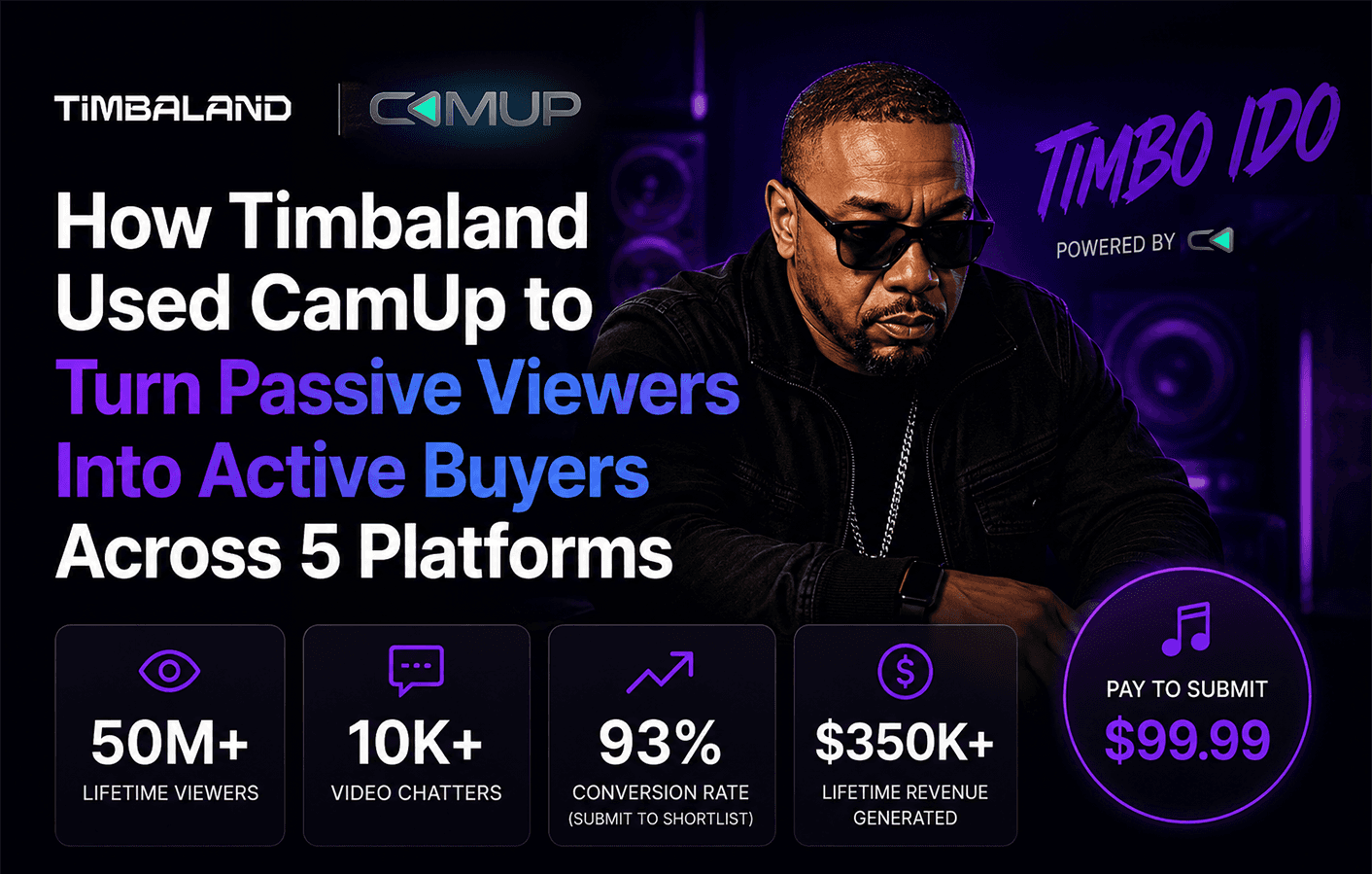
How Timbaland Used CamUp to Turn Passive Viewers Into Active Buyers Across 5 Platforms

Most streams follow the same script. You go live, fans watch, the platform takes its cut, and a payout lands weeks later that never quite matches the energy you put in. The audience showed up. The money didn't.

Timbaland — yes, that Timbaland — decided to run it differently. As co-founder and CMO of CamUp, he used his own live music discovery show, Timbo iDO, as a real-world test of what happens when you stop treating fans like spectators and start treating them like participants.

Here's what that actually looked like.

The Problem With Passive Viewership

Streaming across YouTube, TikTok, Twitch, Instagram, and Kick means serious reach. But reach and revenue aren't the same thing.

Platform monetization is built for the platform. Gifts on TikTok stay on TikTok. A Super Chat on YouTube doesn't carry over to Twitch. Your fans are spread across five apps, your data belongs to whoever's hosting the stream, and your payout reflects whatever cut the algorithm feels like giving you that month.

The deeper issue is that watching is passive. A fan who spends 45 minutes in your stream and drops one gift is engaged — but a fan who joins you on camera, submits a track, and sends a custom gift during your reaction? That fan is invested. And invested fans spend more.

The gap between watching and participating is where most creators bleed money.

Who Is Timbo iDO?

Timbo iDO is a live music discovery show built around real-time fan interaction. Fans submit tracks, Timbaland reacts live, and the whole thing runs as a participatory experience — not a one-way broadcast.

That format breaks fast when you try to run it through standard platform tools. Taking fan submissions on camera across multiple platforms isn't something YouTube or TikTok was built to handle. Dropping custom gifts tied to specific live moments isn't either. And owning the data from every fan who tuned in across five different apps? Forget it.

CamUp was built for exactly this.

What CamUp Added to the Show

Fans on Camera, Not Just in Chat

CamUp's live video chat let fans join Timbo iDO directly on screen — not typing into a chat box, but actually appearing in the stream, dropping their track, and getting a live reaction.

That shift changes everything. When a fan knows they might get on camera with Timbaland, they don't just watch. They show up early, they participate, they tell people. The show becomes an event worth being part of, not just content worth scrolling past.

Real-Time Gifting That Drives Revenue

Custom in-stream gifting through CamUp ran on top of the broadcast — outside any single platform's native system. Fans could send gifts tied to specific moments in the show: a reaction, a drop, a challenge. Those gifts converted directly into creator revenue.

No platform split. No waiting weeks for a deposit. The revenue dashboard updates in real time, and payouts go straight to the creator.

One Link Across Every Platform

Every show on CamUp gets a single Creator Link. Whether a fan was watching on YouTube, TikTok, Twitch, Instagram, or Kick, they could participate through that same link without being pushed off their preferred platform.

That matters more than it sounds. Every time you ask a fan to migrate somewhere else, you lose some of them. The Creator Link removes that friction entirely. Fans stay where they are. You still get the participation, the data, and the revenue.

Why This Works as a Monetization Model

The Timbo iDO setup isn't a one-off experiment. It's a working model for how live stream monetization should function in 2026.

Here's what separates it from the standard approach:

  • Participation beats passive viewing. Fans who can join on camera, submit content, and send gifts tied to real moments stay longer and spend more.

  • Cross-platform reach without fragmentation. One link, five platforms, all revenue flowing to one place.

  • Creator-owned data. Every fan who participates through CamUp is a contact you own — not a follower count the platform controls.

  • No revenue splits. What fans send goes to you. Not to YouTube's monetization structure or TikTok's gift conversion rate.

Most creators end up stitching together a bio link, a tipping tool, a merch store, and streaming software and hoping the pieces hold. CamUp replaces that whole stack with one layer that sits on top of whatever you're already streaming on.

What Other Creators Can Take From This

You don't need Timbaland's catalog to run this kind of show. The format works for gaming streams, talk shows, reaction content — any live format where fan participation adds energy to the room.

The real takeaway: if your show has moments where fans want to be in it, not just watching it, you have a monetization opportunity that platform-native tools can't touch. Video chat interactions, custom gifting tied to live moments, a single link that works across every platform you stream on — those are the pieces that turn a good stream into a show that actually pays.

CamUp is currently in creator beta. If you're streaming across multiple platforms and tired of watching your revenue get split before it reaches you, that's where to start.

FAQs

What is a live stream monetization case study?
A live stream monetization case study documents how a specific creator or show used tools and strategies to generate direct revenue from a live broadcast — what was done, how it worked, and what it produced.

How did Timbaland use CamUp to monetize his live stream?
His show Timbo iDO used CamUp's live video chat, custom in-stream gifting, and single Creator Link to let fans participate on camera, send gifts tied to live moments, and engage across five platforms at once — without any platform taking a cut.

Can CamUp work across multiple streaming platforms at once?
Yes. CamUp adds a monetization and engagement layer that works across YouTube, TikTok, Twitch, Instagram, and Kick. Fans on any of those platforms can participate through one Creator Link without leaving the app they're already on.

What makes CamUp different from tools like Streamlabs or Fourthwall?
Streamlabs is focused on streaming distribution. Fourthwall is a passive storefront. CamUp is built for the live moment — cross-platform monetization, paid fan video interactions, and audience data ownership during active streams, not just before or after them.

Do creators keep their audience data when using CamUp?
Yes. Creators own 100% of the fan data captured through CamUp. Platforms like YouTube and TikTok own the follower relationships on their side. CamUp gives you first-party data from every fan who participates through your Creator Link.

What types of live streams benefit most from CamUp?
Any format where fan participation adds value — music reactions, gaming, talk shows, Q&As, merch drops. If your show has moments where viewers want to be involved rather than just watching, CamUp is built for that.

How do payouts work with CamUp?
Instant payouts, directly to you, with no platform revenue splits. Revenue from gifting and interactions shows up in a real-time dashboard and goes straight to the creator.

Start Building Your Own Live Revenue

Timbo iDO shows what's possible when you stop waiting on platforms to pay you and build a show that pays you directly. Participation, cross-platform reach, owned audience data — that's the stack that works.

Learn more at Camup.live and apply for the creator beta when you're ready to run your stream like a business.

Case Studies

How Timbaland Used CamUp to Turn Passive Viewers Into Active Buyers Across 5 Platforms

Most streams follow the same script. You go live, fans watch, the platform takes its cut, and a payout lands weeks later that never quite matches the energy you put in. The audience showed up. The money didn't.

Timbaland — yes, that Timbaland — decided to run it differently. As co-founder and CMO of CamUp, he used his own live music discovery show, Timbo iDO, as a real-world test of what happens when you stop treating fans like spectators and start treating them like participants.

Here's what that actually looked like.

The Problem With Passive Viewership

Streaming across YouTube, TikTok, Twitch, Instagram, and Kick means serious reach. But reach and revenue aren't the same thing.

Platform monetization is built for the platform. Gifts on TikTok stay on TikTok. A Super Chat on YouTube doesn't carry over to Twitch. Your fans are spread across five apps, your data belongs to whoever's hosting the stream, and your payout reflects whatever cut the algorithm feels like giving you that month.

The deeper issue is that watching is passive. A fan who spends 45 minutes in your stream and drops one gift is engaged — but a fan who joins you on camera, submits a track, and sends a custom gift during your reaction? That fan is invested. And invested fans spend more.

The gap between watching and participating is where most creators bleed money.

Who Is Timbo iDO?

Timbo iDO is a live music discovery show built around real-time fan interaction. Fans submit tracks, Timbaland reacts live, and the whole thing runs as a participatory experience — not a one-way broadcast.

That format breaks fast when you try to run it through standard platform tools. Taking fan submissions on camera across multiple platforms isn't something YouTube or TikTok was built to handle. Dropping custom gifts tied to specific live moments isn't either. And owning the data from every fan who tuned in across five different apps? Forget it.

CamUp was built for exactly this.

What CamUp Added to the Show

Fans on Camera, Not Just in Chat

CamUp's live video chat let fans join Timbo iDO directly on screen — not typing into a chat box, but actually appearing in the stream, dropping their track, and getting a live reaction.

That shift changes everything. When a fan knows they might get on camera with Timbaland, they don't just watch. They show up early, they participate, they tell people. The show becomes an event worth being part of, not just content worth scrolling past.

Real-Time Gifting That Drives Revenue

Custom in-stream gifting through CamUp ran on top of the broadcast — outside any single platform's native system. Fans could send gifts tied to specific moments in the show: a reaction, a drop, a challenge. Those gifts converted directly into creator revenue.

No platform split. No waiting weeks for a deposit. The revenue dashboard updates in real time, and payouts go straight to the creator.

One Link Across Every Platform

Every show on CamUp gets a single Creator Link. Whether a fan was watching on YouTube, TikTok, Twitch, Instagram, or Kick, they could participate through that same link without being pushed off their preferred platform.

That matters more than it sounds. Every time you ask a fan to migrate somewhere else, you lose some of them. The Creator Link removes that friction entirely. Fans stay where they are. You still get the participation, the data, and the revenue.

Why This Works as a Monetization Model

The Timbo iDO setup isn't a one-off experiment. It's a working model for how live stream monetization should function in 2026.

Here's what separates it from the standard approach:

  • Participation beats passive viewing. Fans who can join on camera, submit content, and send gifts tied to real moments stay longer and spend more.

  • Cross-platform reach without fragmentation. One link, five platforms, all revenue flowing to one place.

  • Creator-owned data. Every fan who participates through CamUp is a contact you own — not a follower count the platform controls.

  • No revenue splits. What fans send goes to you. Not to YouTube's monetization structure or TikTok's gift conversion rate.

Most creators end up stitching together a bio link, a tipping tool, a merch store, and streaming software and hoping the pieces hold. CamUp replaces that whole stack with one layer that sits on top of whatever you're already streaming on.

What Other Creators Can Take From This

You don't need Timbaland's catalog to run this kind of show. The format works for gaming streams, talk shows, reaction content — any live format where fan participation adds energy to the room.

The real takeaway: if your show has moments where fans want to be in it, not just watching it, you have a monetization opportunity that platform-native tools can't touch. Video chat interactions, custom gifting tied to live moments, a single link that works across every platform you stream on — those are the pieces that turn a good stream into a show that actually pays.

CamUp is currently in creator beta. If you're streaming across multiple platforms and tired of watching your revenue get split before it reaches you, that's where to start.

FAQs

What is a live stream monetization case study?
A live stream monetization case study documents how a specific creator or show used tools and strategies to generate direct revenue from a live broadcast — what was done, how it worked, and what it produced.

How did Timbaland use CamUp to monetize his live stream?
His show Timbo iDO used CamUp's live video chat, custom in-stream gifting, and single Creator Link to let fans participate on camera, send gifts tied to live moments, and engage across five platforms at once — without any platform taking a cut.

Can CamUp work across multiple streaming platforms at once?
Yes. CamUp adds a monetization and engagement layer that works across YouTube, TikTok, Twitch, Instagram, and Kick. Fans on any of those platforms can participate through one Creator Link without leaving the app they're already on.

What makes CamUp different from tools like Streamlabs or Fourthwall?
Streamlabs is focused on streaming distribution. Fourthwall is a passive storefront. CamUp is built for the live moment — cross-platform monetization, paid fan video interactions, and audience data ownership during active streams, not just before or after them.

Do creators keep their audience data when using CamUp?
Yes. Creators own 100% of the fan data captured through CamUp. Platforms like YouTube and TikTok own the follower relationships on their side. CamUp gives you first-party data from every fan who participates through your Creator Link.

What types of live streams benefit most from CamUp?
Any format where fan participation adds value — music reactions, gaming, talk shows, Q&As, merch drops. If your show has moments where viewers want to be involved rather than just watching, CamUp is built for that.

How do payouts work with CamUp?
Instant payouts, directly to you, with no platform revenue splits. Revenue from gifting and interactions shows up in a real-time dashboard and goes straight to the creator.

Start Building Your Own Live Revenue

Timbo iDO shows what's possible when you stop waiting on platforms to pay you and build a show that pays you directly. Participation, cross-platform reach, owned audience data — that's the stack that works.

Learn more at Camup.live and apply for the creator beta when you're ready to run your stream like a business.

Monetization

What Is CamUp? The All-in-One Platform for Live Streamers and Content Creators

You're live on Twitch. Your merch store is somewhere else. Your most engaged fans are on TikTok. Your YouTube community has no idea you're streaming right now. And that gifting feature you want? It's on a third platform — with its own cut, its own payout timeline, and its own rules about what you're allowed to do.

Most creators don't have a streaming problem. They have a fragmentation problem.

The tools exist. They just don't talk to each other. And every time a fan has to click away, open a new tab, or figure out where to go, you lose them.

CamUp was built to fix that — not by replacing what you already use, but by pulling everything into one place that works across every platform you stream on.

The Short Version: What CamUp Actually Is

CamUp is a live streaming enhancement platform. It sits on top of YouTube, TikTok, Twitch, Instagram, and other platforms, adding interactive features that those platforms either don't offer or don't do well.

Think of it as a command layer for your stream. While your broadcast runs on whatever platform your audience already watches you on, CamUp handles the parts that drive real revenue and deepen fan relationships — video chat, in-stream gifting, merch drops, and interactive games — without touching your existing setup.

The centerpiece is the Creator Link: a single URL that brings everything together. Fan participation, purchases, gifting, games — all accessible from one place, no matter where your audience is watching from.

You don't have to migrate. You don't have to ask your audience to go somewhere new. You add CamUp, and your stream does more.

Who CamUp Is Built For

CamUp is built for live streamers, creators, studios, and media teams who are serious about turning live attention into real revenue, deeper audience relationships, and repeatable show formats.

It is not just for creators chasing more views. It is for people who already understand that live audiences are valuable — and that the tools built into most platforms are too limited, too fragmented, or too platform-controlled to fully monetize that value.

CamUp is for creators who have hit a ceiling with the tools their current platforms provide. You have built an audience. People show up. They comment, react, request, support, and participate. But converting that attention into income still feels harder than it should.

Your video chat tools are separate from your stream. Your payments are locked inside platform systems. Your audience data is limited. Your monetization options are scattered across different apps. And if you stream on multiple platforms, it can start to feel like you are running several disconnected businesses at once.

CamUp brings those pieces together into one interactive livestream system.

With CamUp, creators can add paid video calls, paid submissions, audience voting, native paid super chats, tipping, gifting, branded audience interactions, contestant queues, creator pages, and monetized show formats that work across the platforms where their audience already watches.

That makes CamUp especially useful for:

Gaming streamers who want to monetize beyond subscriptions, platform-controlled bits, coins, and ad revenue.

IRL and lifestyle creators who want to bring fans into the stream more directly through live video chat, paid requests, audience prompts, and interactive participation.

Music and performance creators who want paid submissions, live feedback formats, tipping, gifting, super chats, and faster direct monetization around their audience’s attention.

Podcast hosts and interview shows who want paid questions, caller queues, live guest interactions, fan submissions, and new ways to make the audience part of the show.

Competition and talent-show creators who need contestant queues, round-based voting, leaderboards, fan participation, and monetized vote bundles.

Multi-platform creators who are tired of managing separate monetization tools, chats, payment flows, and audience experiences across every channel they stream to.

Studios, venues, and production teams who want to turn physical rooms into monetized live stages — not just rent space by the hour, but create live formats that generate digital revenue from both in-person and remote audiences.

Broadcast, brand, and enterprise teams that need reliable interactive infrastructure for large-scale livestreams, branded events, creator campaigns, record-breaking broadcasts, and high-stakes live productions.

CamUp was not built as a simple widget or one-off streaming plugin. It was built as an interactive monetization layer for modern live entertainment.

The platform has powered major creator activations, supported high-profile live formats, and helped enable a Guinness World Record–breaking continuous livestream, proving that CamUp can support more than small creator experiments. It can operate inside serious live production environments where reliability, scale, audience participation, and monetization all matter at the same time.

So whether you are a solo streamer trying to earn more from your audience, a creator building a repeatable live show, a studio trying to increase revenue per room, or a media team looking for interactive broadcast infrastructure, CamUp gives you a way to turn passive viewers into active participants.

If you are streaming on one platform and wishing you could do more with your audience — or streaming on several and wishing it did not feel like running multiple disconnected businesses — CamUp is built for you.

The Problem With How Most Creators Monetize Today

Here's what the current landscape actually looks like for most creators earning from live content:

Platform-native monetization — Twitch bits, YouTube Super Chats, TikTok gifts — takes a significant cut before anything reaches you. Payouts are delayed, sometimes by weeks. And the data about who gave, how much, and when? The platform keeps it.

Third-party tools help, but they're patchwork. One service for alerts, another for merch, another for fan interaction. Each has its own dashboard, its own fees, its own limitations. Getting them to work together is a project in itself.

None of it is designed around the creator's business. It's designed around the platform's business.

CamUp takes a different approach. Revenue goes directly to creators with instant payouts. Audience data — who your fans are, how they engage, what they buy — belongs to you, not the platform. And instead of managing a stack of disconnected tools, everything runs through one system.

What CamUp Actually Does: The Core Features

Video Chat With Fans

One of the most powerful things a live streamer can offer is direct, real-time access. Not just a chat box — actual face-to-face interaction.

CamUp lets creators bring fans, guests, callers, contestants, and audience members onto the stream through live video chat. This is not a gimmick. It is one of the highest-engagement formats in live content, and something most platforms make difficult or impossible to do natively.

Whether you are running a fan Q&A, a music review show, a live podcast, a coaching session, a community contest, or a paid call-in segment, video chat creates a level of connection passive viewing cannot match.

CamUp turns the audience from viewers into participants.

Interactive Show Formats

For creators who are new to monetizing live streams, the easiest place to start is with a simple show format.

Instead of asking, “How do I monetize my audience?”, CamUp helps creators ask a clearer question: “What kind of live show do I want to run?”

A creator can launch a music review show, fan call-in show, AMA, live podcast, coaching session, open mic, creator battle, talent competition, interview format, roast show, or feedback session — then attach monetization directly to the way the show works.

That is what makes show formats so powerful. They give creators a repeatable structure for audience participation.

Fans are not just tipping randomly. They are paying to submit, join, ask, vote, appear, skip the line, or become part of the moment.

For beginners, this removes the guesswork. You do not need to invent a monetization strategy from scratch. You start with a format your audience already understands, then use CamUp to turn participation into revenue.

Paid Submissions

Many creators already receive requests from fans: review my song, react to my video, answer my question, look at my profile, critique my work, bring me on stream.

The problem is that most of these requests happen informally through DMs, comments, or scattered payment links.

CamUp gives creators a structured way to accept paid submissions directly through their live show. Fans can submit content, join a queue, and pay for access based on the creator’s show format.

This is especially useful for music reviews, talent discovery, coaching, feedback shows, creator reviews, live audits, and any format where the audience wants a chance to be seen or heard.

Caller and Contestant Queues

Live shows can break down when too many people want to participate at once.

CamUp gives creators tools to manage who gets seen, who gets called, and who moves forward in the show. Whether the format is a call-in show, music review, creator competition, podcast, talent contest, or live audition, queues help organize the experience.

Creators can manage participants, bring people on screen, move contestants through rounds, and keep the show flowing without relying on messy DMs, random comments, or manual spreadsheets.

For beginners, this matters because the queue turns chaos into a format. It gives the creator control while giving the audience a clear path to participate.

Native Paid Super Chat

CamUp gives creators their own version of paid live messages without relying entirely on a platform’s built-in monetization system.

Native paid super chat lets viewers pay to send highlighted messages, questions, prompts, or support during the stream. Instead of being buried in a fast-moving chat, their message becomes part of the live experience.

For creators, this creates a direct monetization layer around audience attention. For fans, it gives them a way to support the creator and make their voice stand out in the moment.

In-Stream Gifting and Tipping

Gifting and tipping are two of the most natural ways fans express support during a live stream. The problem is that many platform-native systems are designed around the platform first, not the creator.

CamUp’s in-stream gifting and tipping are built around direct creator revenue. Fans can support the creator during the stream, and the interaction can be surfaced as part of the show experience instead of feeling like a disconnected transaction.

The goal is simple: make support feel immediate, visible, and native to the live moment.

Audience Voting

CamUp supports audience voting for live shows, contests, competitions, creator battles, talent reviews, and interactive formats where the crowd should have a voice.

Creators can turn on voting during a stream and let viewers participate through chat-based voting, paid vote bundles, or structured show mechanics. Voting can help decide winners, rank contestants, move participants through rounds, or create live audience-driven moments.

For competition formats, this creates a new layer of engagement and monetization. Fans are no longer just watching the outcome — they are helping shape it.

The Creator Link

All of it — video chat, show formats, paid submissions, caller queues, voting, paid super chats, tipping, gifting, and other interactive tools — is accessible through a single Creator Link.

This matters more than it might seem.

When your audience is spread across TikTok, Twitch, YouTube, Instagram, X, and other platforms, giving every group a different way to interact creates confusion and lost revenue.

The Creator Link gives every fan, on every platform, one place to participate.

Share it in your Twitch chat. Pin it on TikTok. Drop it in your YouTube description. Put it in your bio. Wherever your audience is watching, the Creator Link brings them into the same interactive experience.

Broadcast and Enterprise Capabilities

CamUp is also built for more than individual creators.

Studios, venues, production teams, brands, and broadcast partners can use CamUp to add interactivity and monetization to larger live productions.

That includes live audience participation, remote guest call-ins, branded submissions, paid fan interactions, voting, contest mechanics, creator pages, and interactive overlays that can be used inside professional broadcast workflows.

CamUp has already powered high-stakes creator activations and supported a Guinness World Record–breaking continuous livestream, proving that the platform can operate in serious production environments where reliability, audience participation, and monetization all matter at once.

For creators, CamUp makes livestreaming more profitable.

For studios and enterprise partners, CamUp turns live productions into interactive revenue systems.

The Data Ownership Angle

This doesn't get talked about enough.

When you build an audience on a platform, the platform owns the relationship data. They know who your fans are, how they behave, what they spend. You get a view count and maybe some basic analytics.

That's a structural problem for any creator trying to build a real business. You can't make smart decisions about your content, your products, or your community without access to the underlying data.

CamUp gives creators ownership of their audience data. Who's engaging, how they're engaging, what they're buying — that information belongs to you. It's the kind of intelligence that lets you grow with intention rather than just hoping the algorithm stays in your favor.

Instant Payouts: Why This Is a Bigger Deal Than It Sounds

Most creator monetization platforms run on delayed payout schedules. Thirty days is common. Some are longer. For creators trying to run their streaming activity as a real business, that creates a genuine cash flow problem.

When you earn money from a live stream, you should be able to access it. CamUp's instant payout system means revenue from gifting and merch goes directly to you — not into a holding account with a multi-week release window.

For creators reinvesting in their setup, covering production costs, or simply trying to build financial stability around their content, this is a meaningful operational difference.

How CamUp Fits Into a Creator's Existing Setup

When evaluating any new tool, the first question is usually: what do I have to change?

With CamUp, the honest answer is: not much.

You keep streaming on your existing platforms. Your audience keeps watching where they already watch you. You add your Creator Link to your stream and your profiles, and CamUp handles the interactive and monetization layer from there.

No migration. No rebuilding your community from scratch. No asking your audience to follow you somewhere new.

What changes is what your stream can do. Fans who want to support you have more ways to do it. Fans who want to interact with you have real options. And you have a single dashboard to manage all of it, instead of a pile of disconnected tools.

CamUp vs. Doing It Yourself

Some creators try to build their own version of this — a Linktree for merch, a separate gifting platform, a Discord for fan interaction, a third-party tool for stream alerts. It works, sort of.

The problem is the overhead. Every tool you add is another thing to manage, another fee to pay, another login to remember, and another potential point of failure mid-stream. And your audience has to navigate all of it.

CamUp consolidates what would otherwise be four or five separate tools into one system built specifically for live streaming. That's not just more convenient — it's a meaningfully better experience for your fans, which translates directly into more engagement and more revenue.

The Bigger Picture: What CamUp Is Really About

At its core, CamUp is about giving creators more control.

Control over how they monetize. Control over their audience data. Control over the fan experience. Control over when they get paid. Control over how they show up across multiple platforms without losing coherence.

The platforms creators stream on are powerful distribution channels — but they're not designed to maximize creator revenue or creator relationships. They're designed to maximize platform engagement.

CamUp fills the gap between what platforms offer and what creators actually need to build a sustainable, growing business around live content.

Getting Started

CamUp is designed to be up and running without overhauling your existing setup. If you're a live streamer on YouTube, TikTok, Twitch, Instagram, or multiple platforms at once — and you want more from your streams than your current tools are giving you — it's worth seeing what CamUp adds.

The Creator Link alone is worth exploring. One URL. Every platform. All your fans in one place.

Conclusion

Live streaming has matured. The creators who are winning aren't just the ones with the most viewers — they're the ones who've figured out how to turn viewers into fans, and fans into a sustainable revenue stream.

That requires tools built for creators, not platforms. Tools that work wherever your audience already is. Tools that pay you directly, give you your data back, and don't pile more complexity onto an already complicated job.

That's what CamUp is. Not a replacement for what you've built — an upgrade to what it can do.

**Learn more at **Camup.live

Monetization

What Is CamUp? The All-in-One Platform for Live Streamers and Content Creators

You're live on Twitch. Your merch store is somewhere else. Your most engaged fans are on TikTok. Your YouTube community has no idea you're streaming right now. And that gifting feature you want? It's on a third platform — with its own cut, its own payout timeline, and its own rules about what you're allowed to do.

Most creators don't have a streaming problem. They have a fragmentation problem.

The tools exist. They just don't talk to each other. And every time a fan has to click away, open a new tab, or figure out where to go, you lose them.

CamUp was built to fix that — not by replacing what you already use, but by pulling everything into one place that works across every platform you stream on.

The Short Version: What CamUp Actually Is

CamUp is a live streaming enhancement platform. It sits on top of YouTube, TikTok, Twitch, Instagram, and other platforms, adding interactive features that those platforms either don't offer or don't do well.

Think of it as a command layer for your stream. While your broadcast runs on whatever platform your audience already watches you on, CamUp handles the parts that drive real revenue and deepen fan relationships — video chat, in-stream gifting, merch drops, and interactive games — without touching your existing setup.

The centerpiece is the Creator Link: a single URL that brings everything together. Fan participation, purchases, gifting, games — all accessible from one place, no matter where your audience is watching from.

You don't have to migrate. You don't have to ask your audience to go somewhere new. You add CamUp, and your stream does more.

Who CamUp Is Built For

CamUp is built for live streamers, creators, studios, and media teams who are serious about turning live attention into real revenue, deeper audience relationships, and repeatable show formats.

It is not just for creators chasing more views. It is for people who already understand that live audiences are valuable — and that the tools built into most platforms are too limited, too fragmented, or too platform-controlled to fully monetize that value.

CamUp is for creators who have hit a ceiling with the tools their current platforms provide. You have built an audience. People show up. They comment, react, request, support, and participate. But converting that attention into income still feels harder than it should.

Your video chat tools are separate from your stream. Your payments are locked inside platform systems. Your audience data is limited. Your monetization options are scattered across different apps. And if you stream on multiple platforms, it can start to feel like you are running several disconnected businesses at once.

CamUp brings those pieces together into one interactive livestream system.

With CamUp, creators can add paid video calls, paid submissions, audience voting, native paid super chats, tipping, gifting, branded audience interactions, contestant queues, creator pages, and monetized show formats that work across the platforms where their audience already watches.

That makes CamUp especially useful for:

Gaming streamers who want to monetize beyond subscriptions, platform-controlled bits, coins, and ad revenue.

IRL and lifestyle creators who want to bring fans into the stream more directly through live video chat, paid requests, audience prompts, and interactive participation.

Music and performance creators who want paid submissions, live feedback formats, tipping, gifting, super chats, and faster direct monetization around their audience’s attention.

Podcast hosts and interview shows who want paid questions, caller queues, live guest interactions, fan submissions, and new ways to make the audience part of the show.

Competition and talent-show creators who need contestant queues, round-based voting, leaderboards, fan participation, and monetized vote bundles.

Multi-platform creators who are tired of managing separate monetization tools, chats, payment flows, and audience experiences across every channel they stream to.

Studios, venues, and production teams who want to turn physical rooms into monetized live stages — not just rent space by the hour, but create live formats that generate digital revenue from both in-person and remote audiences.

Broadcast, brand, and enterprise teams that need reliable interactive infrastructure for large-scale livestreams, branded events, creator campaigns, record-breaking broadcasts, and high-stakes live productions.

CamUp was not built as a simple widget or one-off streaming plugin. It was built as an interactive monetization layer for modern live entertainment.

The platform has powered major creator activations, supported high-profile live formats, and helped enable a Guinness World Record–breaking continuous livestream, proving that CamUp can support more than small creator experiments. It can operate inside serious live production environments where reliability, scale, audience participation, and monetization all matter at the same time.

So whether you are a solo streamer trying to earn more from your audience, a creator building a repeatable live show, a studio trying to increase revenue per room, or a media team looking for interactive broadcast infrastructure, CamUp gives you a way to turn passive viewers into active participants.

If you are streaming on one platform and wishing you could do more with your audience — or streaming on several and wishing it did not feel like running multiple disconnected businesses — CamUp is built for you.

The Problem With How Most Creators Monetize Today

Here's what the current landscape actually looks like for most creators earning from live content:

Platform-native monetization — Twitch bits, YouTube Super Chats, TikTok gifts — takes a significant cut before anything reaches you. Payouts are delayed, sometimes by weeks. And the data about who gave, how much, and when? The platform keeps it.

Third-party tools help, but they're patchwork. One service for alerts, another for merch, another for fan interaction. Each has its own dashboard, its own fees, its own limitations. Getting them to work together is a project in itself.

None of it is designed around the creator's business. It's designed around the platform's business.

CamUp takes a different approach. Revenue goes directly to creators with instant payouts. Audience data — who your fans are, how they engage, what they buy — belongs to you, not the platform. And instead of managing a stack of disconnected tools, everything runs through one system.

What CamUp Actually Does: The Core Features

Video Chat With Fans

One of the most powerful things a live streamer can offer is direct, real-time access. Not just a chat box — actual face-to-face interaction.

CamUp lets creators bring fans, guests, callers, contestants, and audience members onto the stream through live video chat. This is not a gimmick. It is one of the highest-engagement formats in live content, and something most platforms make difficult or impossible to do natively.

Whether you are running a fan Q&A, a music review show, a live podcast, a coaching session, a community contest, or a paid call-in segment, video chat creates a level of connection passive viewing cannot match.

CamUp turns the audience from viewers into participants.

Interactive Show Formats

For creators who are new to monetizing live streams, the easiest place to start is with a simple show format.

Instead of asking, “How do I monetize my audience?”, CamUp helps creators ask a clearer question: “What kind of live show do I want to run?”

A creator can launch a music review show, fan call-in show, AMA, live podcast, coaching session, open mic, creator battle, talent competition, interview format, roast show, or feedback session — then attach monetization directly to the way the show works.

That is what makes show formats so powerful. They give creators a repeatable structure for audience participation.

Fans are not just tipping randomly. They are paying to submit, join, ask, vote, appear, skip the line, or become part of the moment.

For beginners, this removes the guesswork. You do not need to invent a monetization strategy from scratch. You start with a format your audience already understands, then use CamUp to turn participation into revenue.

Paid Submissions

Many creators already receive requests from fans: review my song, react to my video, answer my question, look at my profile, critique my work, bring me on stream.

The problem is that most of these requests happen informally through DMs, comments, or scattered payment links.

CamUp gives creators a structured way to accept paid submissions directly through their live show. Fans can submit content, join a queue, and pay for access based on the creator’s show format.

This is especially useful for music reviews, talent discovery, coaching, feedback shows, creator reviews, live audits, and any format where the audience wants a chance to be seen or heard.

Caller and Contestant Queues

Live shows can break down when too many people want to participate at once.

CamUp gives creators tools to manage who gets seen, who gets called, and who moves forward in the show. Whether the format is a call-in show, music review, creator competition, podcast, talent contest, or live audition, queues help organize the experience.

Creators can manage participants, bring people on screen, move contestants through rounds, and keep the show flowing without relying on messy DMs, random comments, or manual spreadsheets.

For beginners, this matters because the queue turns chaos into a format. It gives the creator control while giving the audience a clear path to participate.

Native Paid Super Chat

CamUp gives creators their own version of paid live messages without relying entirely on a platform’s built-in monetization system.

Native paid super chat lets viewers pay to send highlighted messages, questions, prompts, or support during the stream. Instead of being buried in a fast-moving chat, their message becomes part of the live experience.

For creators, this creates a direct monetization layer around audience attention. For fans, it gives them a way to support the creator and make their voice stand out in the moment.

In-Stream Gifting and Tipping

Gifting and tipping are two of the most natural ways fans express support during a live stream. The problem is that many platform-native systems are designed around the platform first, not the creator.

CamUp’s in-stream gifting and tipping are built around direct creator revenue. Fans can support the creator during the stream, and the interaction can be surfaced as part of the show experience instead of feeling like a disconnected transaction.

The goal is simple: make support feel immediate, visible, and native to the live moment.

Audience Voting

CamUp supports audience voting for live shows, contests, competitions, creator battles, talent reviews, and interactive formats where the crowd should have a voice.

Creators can turn on voting during a stream and let viewers participate through chat-based voting, paid vote bundles, or structured show mechanics. Voting can help decide winners, rank contestants, move participants through rounds, or create live audience-driven moments.

For competition formats, this creates a new layer of engagement and monetization. Fans are no longer just watching the outcome — they are helping shape it.

The Creator Link

All of it — video chat, show formats, paid submissions, caller queues, voting, paid super chats, tipping, gifting, and other interactive tools — is accessible through a single Creator Link.

This matters more than it might seem.

When your audience is spread across TikTok, Twitch, YouTube, Instagram, X, and other platforms, giving every group a different way to interact creates confusion and lost revenue.

The Creator Link gives every fan, on every platform, one place to participate.

Share it in your Twitch chat. Pin it on TikTok. Drop it in your YouTube description. Put it in your bio. Wherever your audience is watching, the Creator Link brings them into the same interactive experience.

Broadcast and Enterprise Capabilities

CamUp is also built for more than individual creators.

Studios, venues, production teams, brands, and broadcast partners can use CamUp to add interactivity and monetization to larger live productions.

That includes live audience participation, remote guest call-ins, branded submissions, paid fan interactions, voting, contest mechanics, creator pages, and interactive overlays that can be used inside professional broadcast workflows.

CamUp has already powered high-stakes creator activations and supported a Guinness World Record–breaking continuous livestream, proving that the platform can operate in serious production environments where reliability, audience participation, and monetization all matter at once.

For creators, CamUp makes livestreaming more profitable.

For studios and enterprise partners, CamUp turns live productions into interactive revenue systems.

The Data Ownership Angle

This doesn't get talked about enough.

When you build an audience on a platform, the platform owns the relationship data. They know who your fans are, how they behave, what they spend. You get a view count and maybe some basic analytics.

That's a structural problem for any creator trying to build a real business. You can't make smart decisions about your content, your products, or your community without access to the underlying data.

CamUp gives creators ownership of their audience data. Who's engaging, how they're engaging, what they're buying — that information belongs to you. It's the kind of intelligence that lets you grow with intention rather than just hoping the algorithm stays in your favor.

Instant Payouts: Why This Is a Bigger Deal Than It Sounds

Most creator monetization platforms run on delayed payout schedules. Thirty days is common. Some are longer. For creators trying to run their streaming activity as a real business, that creates a genuine cash flow problem.

When you earn money from a live stream, you should be able to access it. CamUp's instant payout system means revenue from gifting and merch goes directly to you — not into a holding account with a multi-week release window.

For creators reinvesting in their setup, covering production costs, or simply trying to build financial stability around their content, this is a meaningful operational difference.

How CamUp Fits Into a Creator's Existing Setup

When evaluating any new tool, the first question is usually: what do I have to change?

With CamUp, the honest answer is: not much.

You keep streaming on your existing platforms. Your audience keeps watching where they already watch you. You add your Creator Link to your stream and your profiles, and CamUp handles the interactive and monetization layer from there.

No migration. No rebuilding your community from scratch. No asking your audience to follow you somewhere new.

What changes is what your stream can do. Fans who want to support you have more ways to do it. Fans who want to interact with you have real options. And you have a single dashboard to manage all of it, instead of a pile of disconnected tools.

CamUp vs. Doing It Yourself

Some creators try to build their own version of this — a Linktree for merch, a separate gifting platform, a Discord for fan interaction, a third-party tool for stream alerts. It works, sort of.

The problem is the overhead. Every tool you add is another thing to manage, another fee to pay, another login to remember, and another potential point of failure mid-stream. And your audience has to navigate all of it.

CamUp consolidates what would otherwise be four or five separate tools into one system built specifically for live streaming. That's not just more convenient — it's a meaningfully better experience for your fans, which translates directly into more engagement and more revenue.

The Bigger Picture: What CamUp Is Really About

At its core, CamUp is about giving creators more control.

Control over how they monetize. Control over their audience data. Control over the fan experience. Control over when they get paid. Control over how they show up across multiple platforms without losing coherence.

The platforms creators stream on are powerful distribution channels — but they're not designed to maximize creator revenue or creator relationships. They're designed to maximize platform engagement.

CamUp fills the gap between what platforms offer and what creators actually need to build a sustainable, growing business around live content.

Getting Started

CamUp is designed to be up and running without overhauling your existing setup. If you're a live streamer on YouTube, TikTok, Twitch, Instagram, or multiple platforms at once — and you want more from your streams than your current tools are giving you — it's worth seeing what CamUp adds.

The Creator Link alone is worth exploring. One URL. Every platform. All your fans in one place.

Conclusion

Live streaming has matured. The creators who are winning aren't just the ones with the most viewers — they're the ones who've figured out how to turn viewers into fans, and fans into a sustainable revenue stream.

That requires tools built for creators, not platforms. Tools that work wherever your audience already is. Tools that pay you directly, give you your data back, and don't pile more complexity onto an already complicated job.

That's what CamUp is. Not a replacement for what you've built — an upgrade to what it can do.

**Learn more at **Camup.live